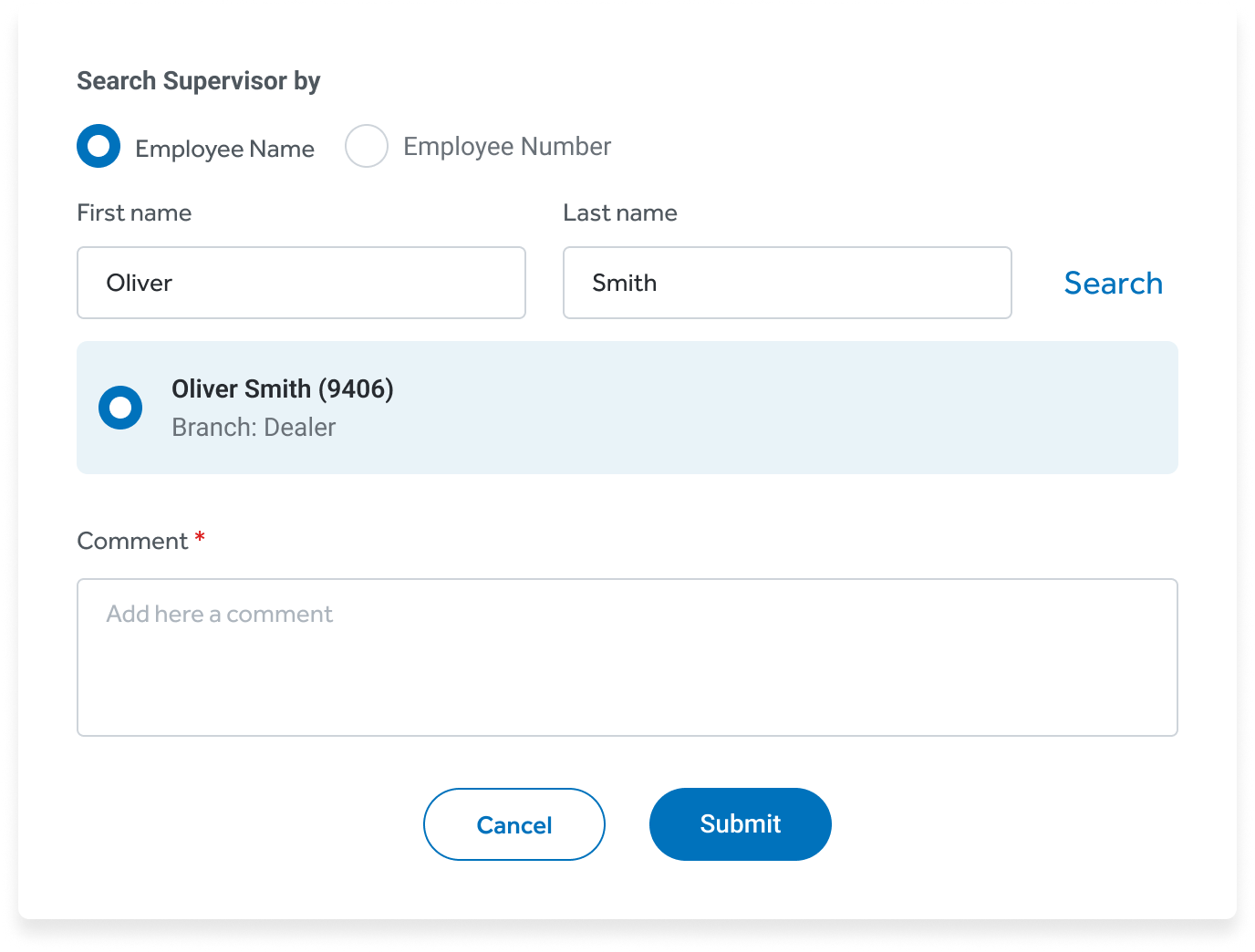
Step 1
The teller sees the override alert and sends a request
When an operation needs approval, the teller picks the supervisor and sends a remote override request.
One centralized platform helps tellers serve members faster, with compliance built in.
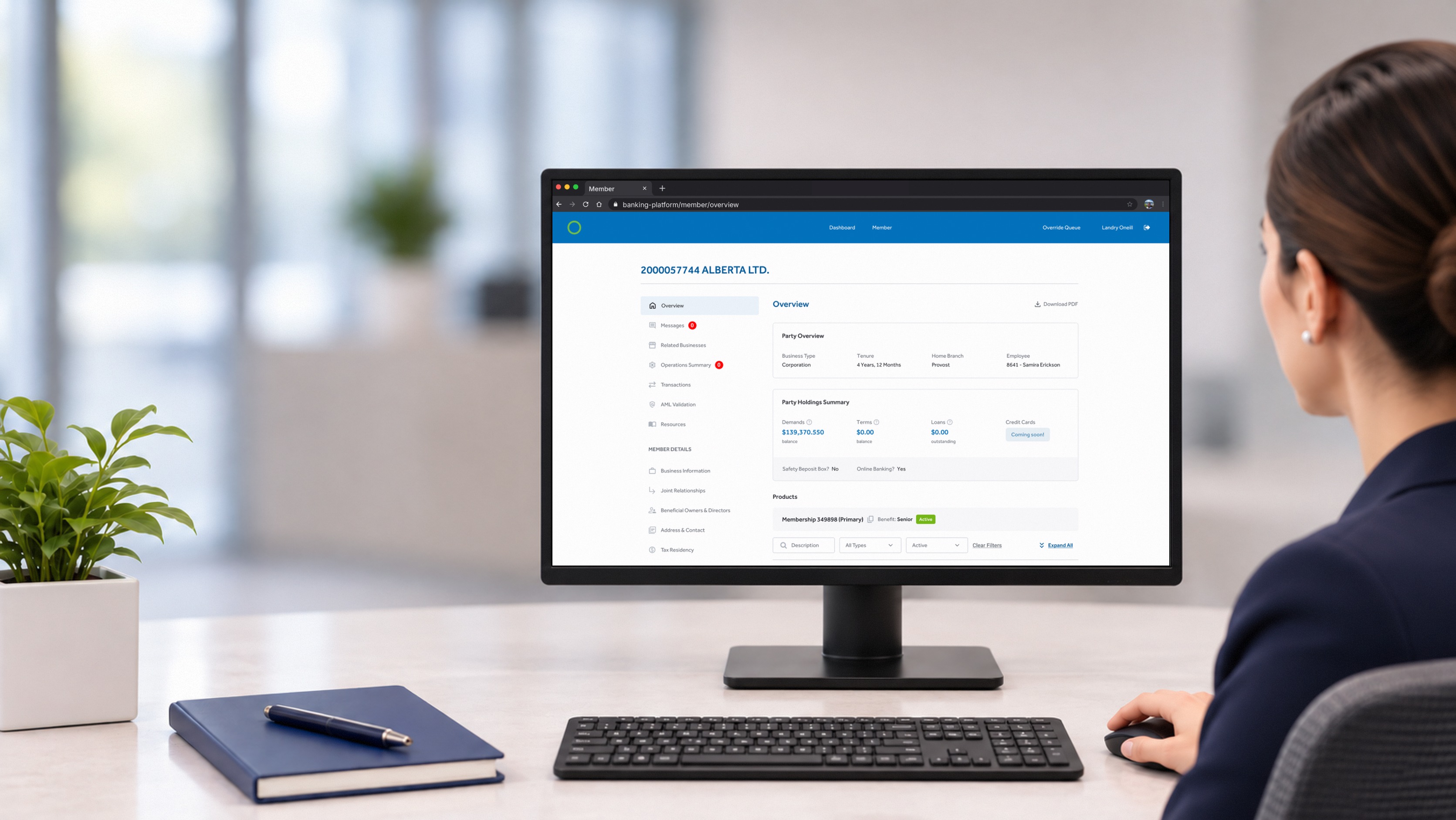
Tellers stopped working around the system and started working with it. Approvals that used to keep members waiting now happen in seconds, wherever the manager is.
One of the biggest credit unions in Canada, offering everyday banking, lending and wealth services to individuals and businesses through its branch network. Branch staff served members on legacy software built around dense forms and manual workarounds, so the organization was replacing it with a new platform.
The project was delivered in two phases. Phase 1, led by another designer, set up the platform’s foundations with the basic read-only views. I took over design in Phase 2, turning those views into an operational tool and developing new features and flows. The project’s key shift was turning a rigid, form-based legacy product into a modern, flexible platform where staff complete every operation in one place, without workarounds. This case study focuses on Phase 2.
Integrate with existing core banking systems without disrupting data or workflows.
Manage and protect sensitive member data across every workflow.
Get every staff member productive with the new software from day one.
The broad business discovery took place in Phase 1, when the team also drafted the product roadmap. In Phase 2, discovery focused on specific topics. For each feature, I led the project team through the same loop: discovery, define, design and delivery, then on to the next one.
Understand each banking workflow and the business rules behind it.
Turn findings into a shared view of problems and priorities.
Shape the future-state experience of each feature.
Bring the design to production with the build team.
Phase 1 had mapped the users and carried out the main business discovery. In the second phase, focused discovery sessions with the client and users for each new feature uncovered how the work really happened.
“We’ve always done it this way, and it works.”Heard often during the project
Every change to an existing process faced resistance.
Strict business rules shaped every single flow.
Experienced users feared losing time to a learning curve.
Four roles use the platform every day. Their needs were the reference point for every feature in Phase 2, so each design decision stayed tied to real work at the branch.
 TellerServes members at the counter. Needs every task to be fast.
 Branch ManagerApproves operations, often away from the desk.
 Back-office / OperationsProcesses member requests behind the scenes.
 AdminManages users, permissions and settings.
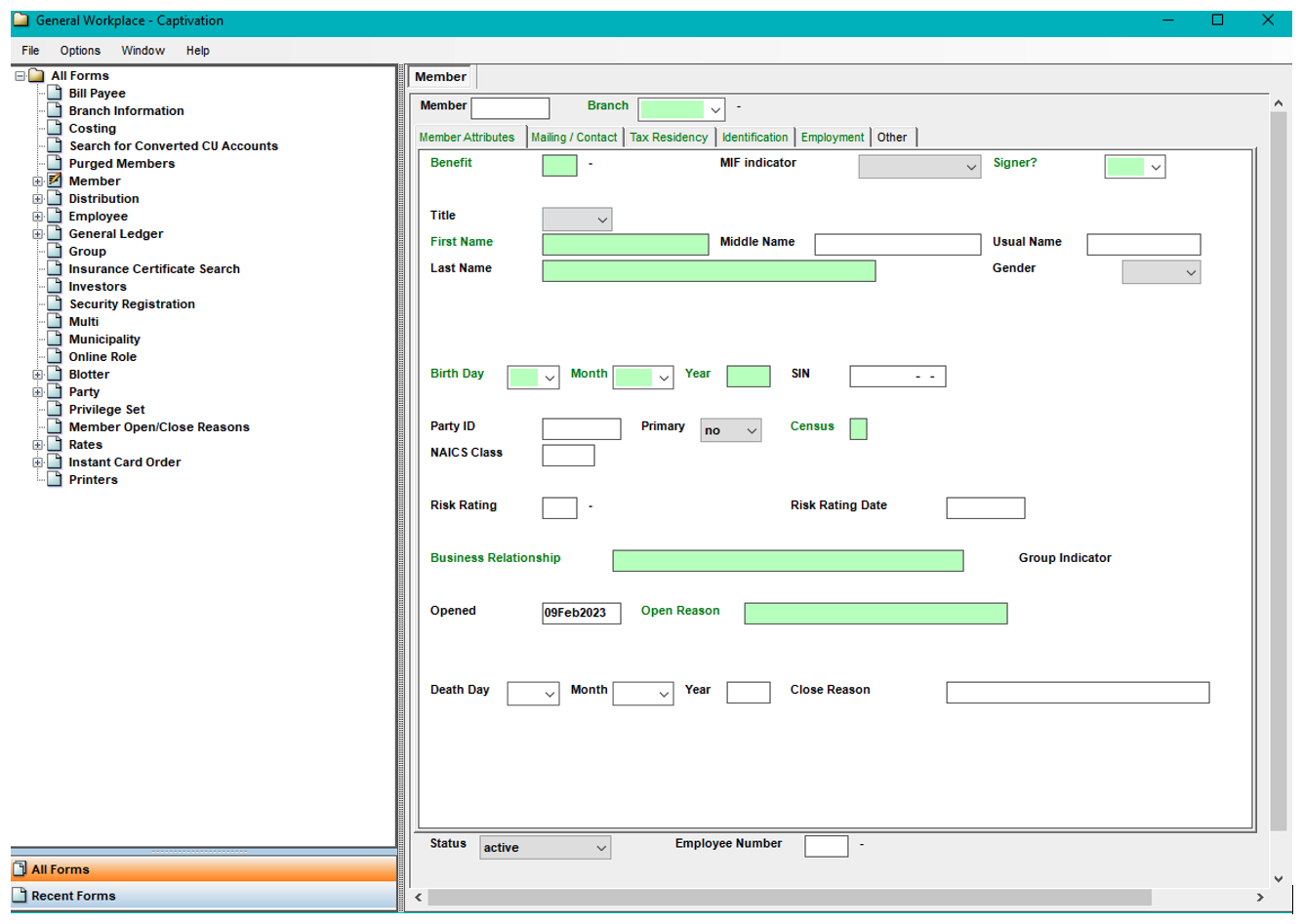
Tellers jumped between 4–5 separate systems for everyday tasks.
The same information lived in different places, in different formats.
The information architecture made it hard to find items quickly.
It was hard to tell whether information in the system was up to date.
I redesigned most of the core banking features of the legacy system, challenging every action and every piece of information carried over from the old system to capture the real business needs and streamline the work into simple, easy-to-navigate flows.
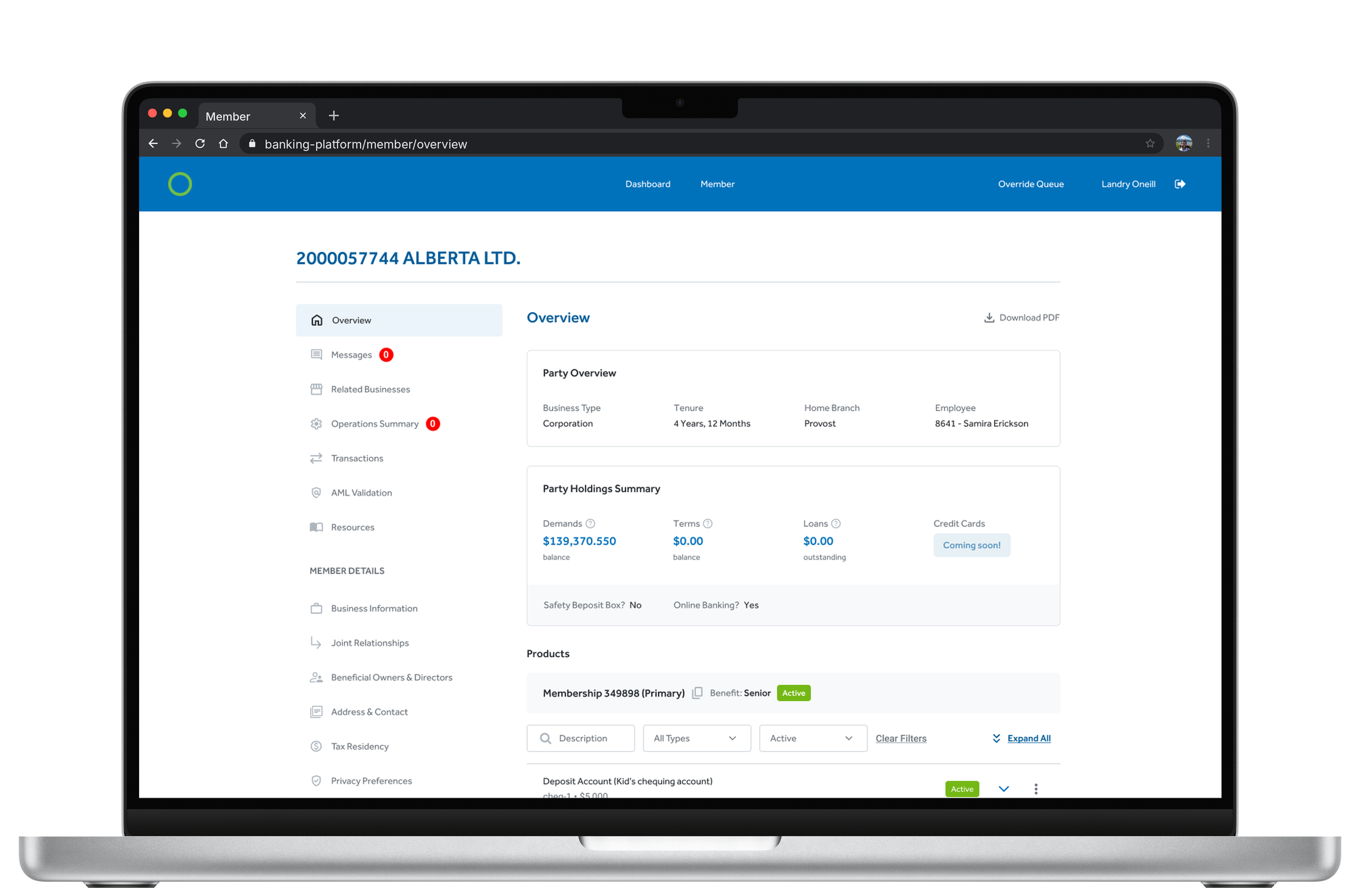
Some operations, like large withdrawals or exceeding limits, need a manager’s approval. The new feature lets tellers submit override requests remotely, so the member is served without waiting for the manager to come to the desk.
Approvals had to happen in person at the teller’s desk, leaving tellers and members waiting, or unable to complete the operation at all.
A fully remote flow. The teller sends a request on the spot, the manager is notified in the app and by email, reviews the details and approves or declines with a reason. The teller is notified and completes the operation.
We kept the in-person password approval instead of replacing it. Managers trusted it, and removing it would have slowed adoption.
Trade-off: two paths to maintain, but zero change resistance.
Whenever a teller attempts an action that needs a manager’s approval, the system shows a warning and invites them to send an override request.
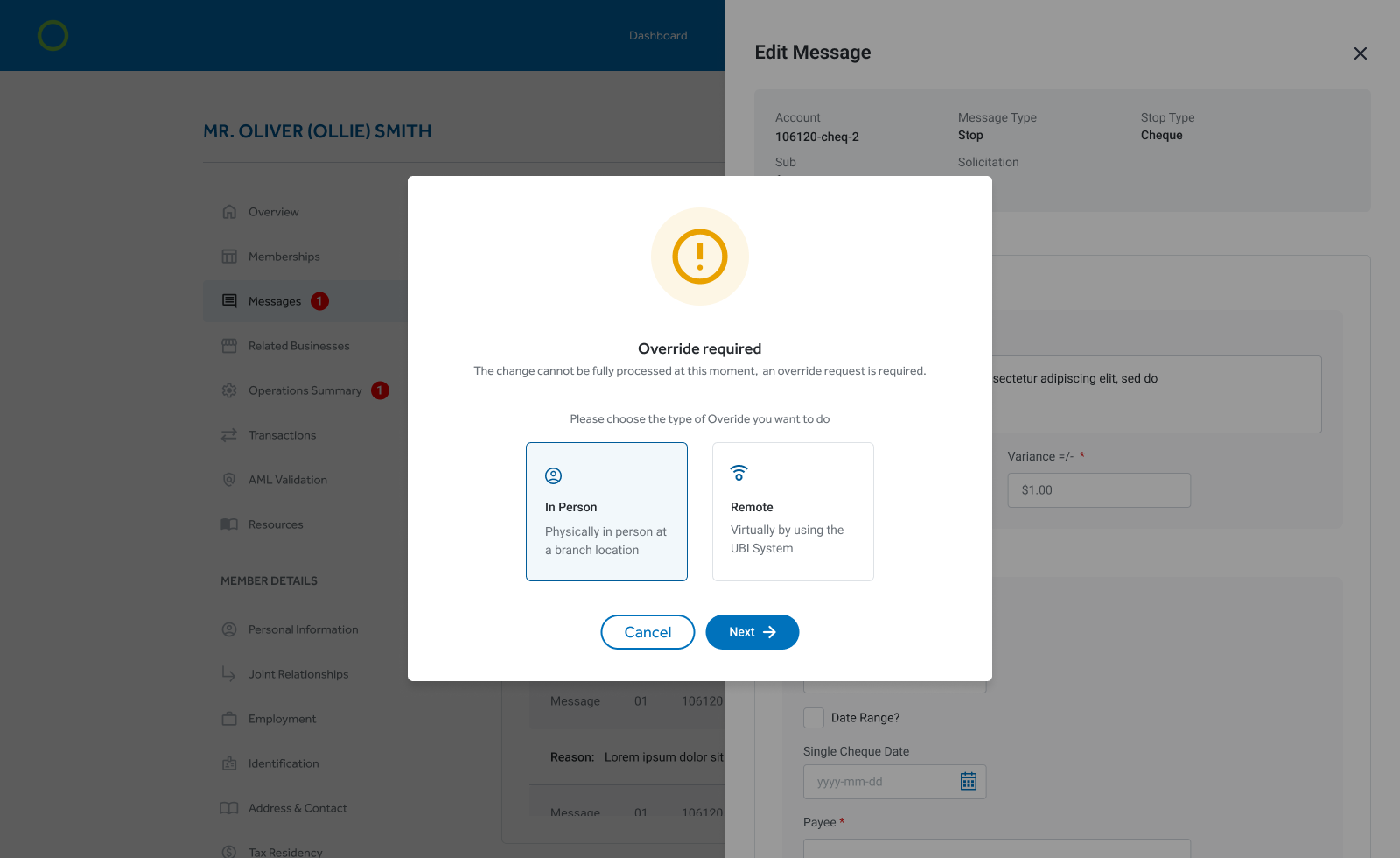
When an operation needs approval, the teller picks the supervisor and sends a remote override request.
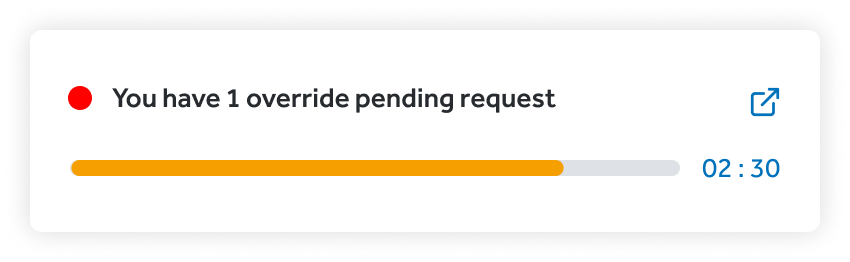
The manager gets the request in real time, with a countdown, and reviews and accepts it from anywhere.
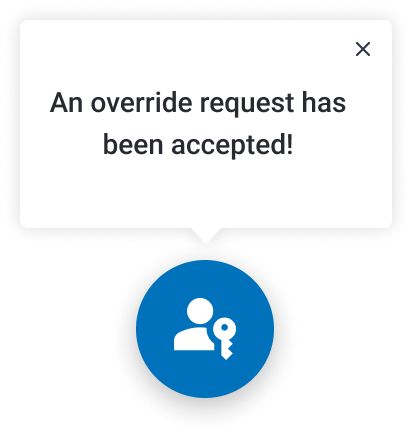
The teller is notified as soon as the override is accepted and finishes the operation with the member.
Sessions with the compliance team to map the rules, then design and validation loops with tellers until the flow fit naturally into their daily routine.
Checks were manual, and tellers often missed some before the member left the branch.
The system tracks when each piece of member information expires. When a teller opens the profile, it warns them right away and guides them through a step-by-step validation before the requested operations. A dedicated page covers skipped warnings and exceptions.
Confirming information straight from the AML summary page was first cut from the MVP for technical reasons. I made the case to keep it: tellers validate in front of the member, and jumping between sections cost time and context.
Trade-off: more build effort up front, but a faster validation at the counter.
The system calculates when each piece of member information expires and flags what needs updating. The warning appears every time a teller opens the member page, so no check is missed.

One page lists every pending item to validate with the member. Tellers review the data together with the member and confirm or edit each field right there, streamlining the whole validation.

Each feature shipped on its own release cycle, with design QA and close support for the build team. Six months in, every branch was running 95% of its daily work in the new platform, so the goal of adoption from day one was met.
“One design bug in a transaction form can send $1M instead of $100.” I heard this often from the client’s product team. In a conservative environment the key is knowing which changes are worth it. Long-term users are biased by habit, so discovery meant challenging everything, then balancing user and business requirements into a product that serves both.